Overview
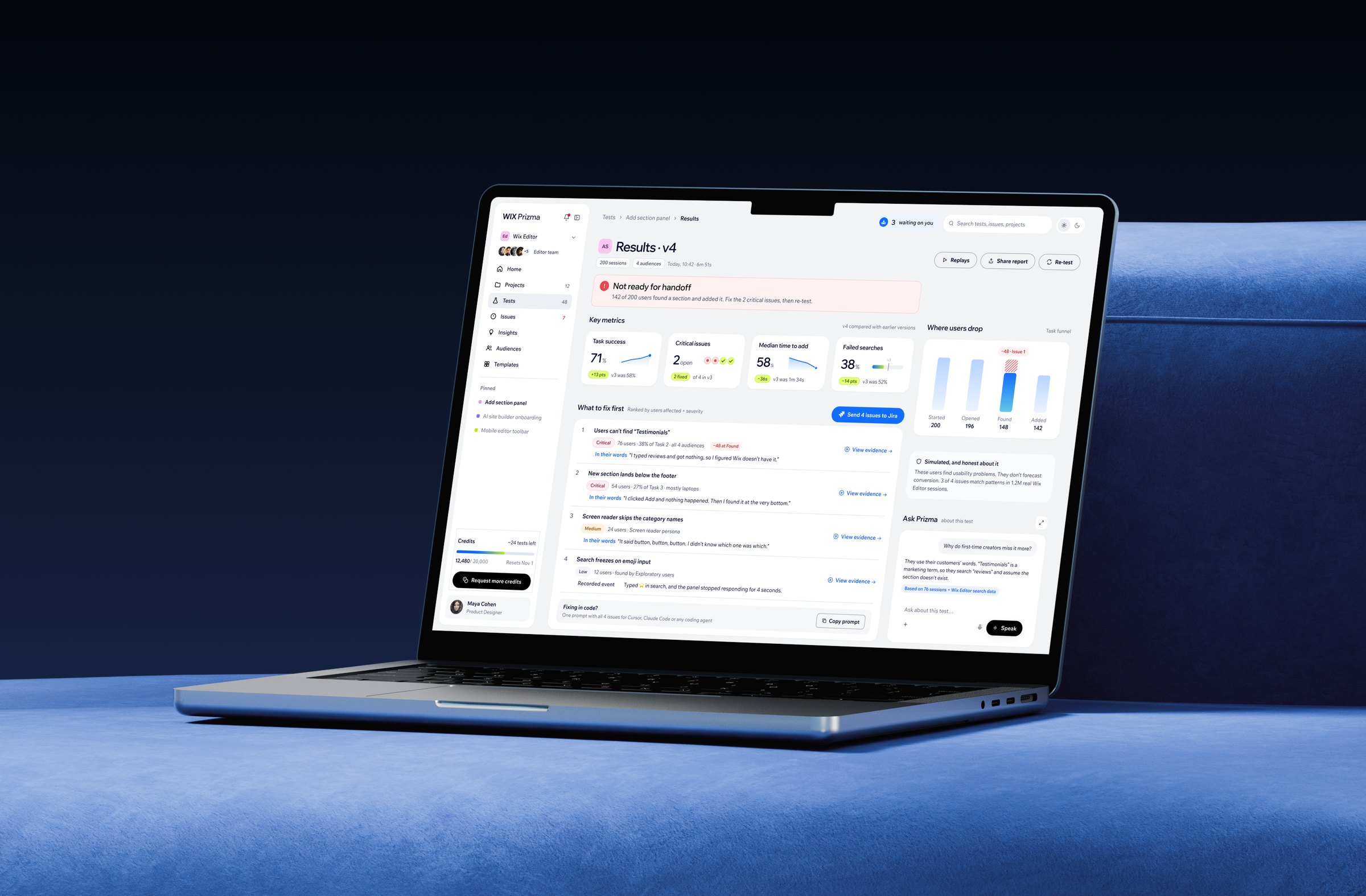
Wix Prizma is an AI platform that tests features with simulated users. It was built at Wix and designed to scale beyond it. Simulated users are built on a behavioral model trained on millions of Wix users, and they can be tuned with a company's own product data. Teams test any version, from Figma frames to a prototype or a staging link, and get a clear verdict, a prioritized list of what to fix, and the evidence behind each finding.
The Problem
Usability testing is one of the most valuable steps in product design, yet it is slow and expensive. As teams build faster than ever, most versions ship untested, and issues surface only with real users, when every fix costs more time, money and trust.
The Goal
Make usability testing fast and accessible enough to run on every version, and get a clear answer to “Is this ready, and what do we fix first?”
Why Prizma
From weeks of waiting to minutes.
AI reviews help teams follow UX best practice. Prizma adds what they can’t see: how your own users behave, in minutes.
Today
ship untested
Weeks per round
With Prizma
gets tested
Minutes per round
Research
Key insights
I reviewed five tools teams use to test usability today, from AI visitors to paid panels. Three gaps kept coming back.
Testing waits for a build
AI visitors need a live site, so problems show up only after development.
AI personas never see the design
They answer questions about an audience, so their answers stay general.
Real users cost every round
Recruiting, panels and hours of video mean teams test less often.
Primary Users
Who needs this, and why.
Product Designers
WhyFast feedback on many more versions, not just the final one.
WhenIterating on a design, before handoff
Pain pointReal usability tests are slow, so early validation gets skipped
Product Managers
WhyA clear ready / not-ready signal before a release.
WhenDeciding what ships, and when
Pain pointIssues show up with real users, when every fix costs more
UX Researchers
WhyScale testing across teams without recruiting.
WhenPlanning a round of testing
Pain pointRecruiting participants takes time and budget
Benchmarking
How teams test usability today,
and where Prizma fits.
AI visitors that browse a live website and report what they ran into.
A ranked report of what to fix first, ready in minutes.
It needs a live site, so problems show up only after the build.
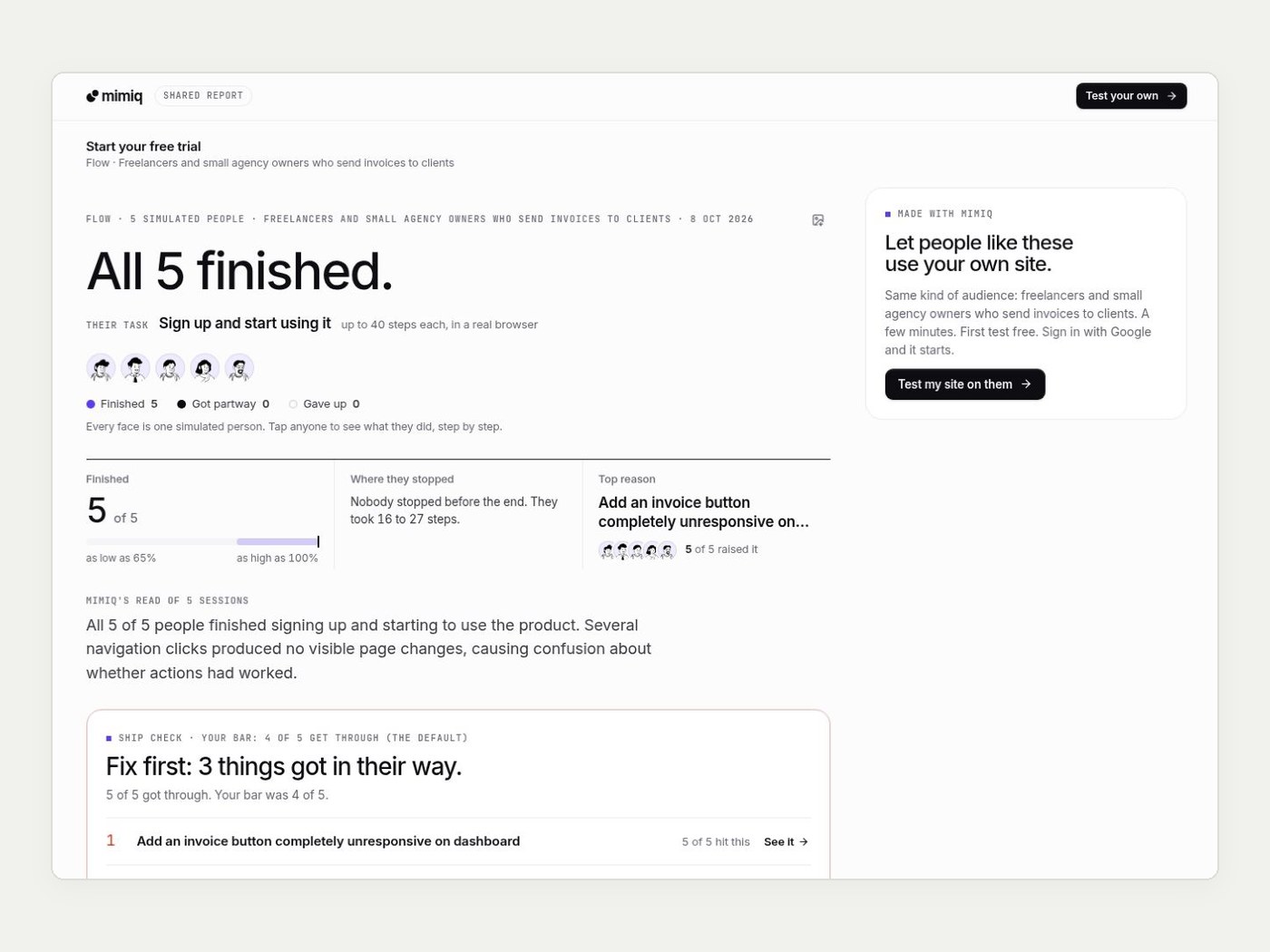
AI personas that answer interview questions about an audience you describe.
Distinct persona types from an audience written in plain words.
The personas never see the design, so their answers stay general.
Unmoderated tests on Figma prototypes.
Clear success rates, paths and heatmaps for every task.
A screener and questions to set up first, then a wait for testers.
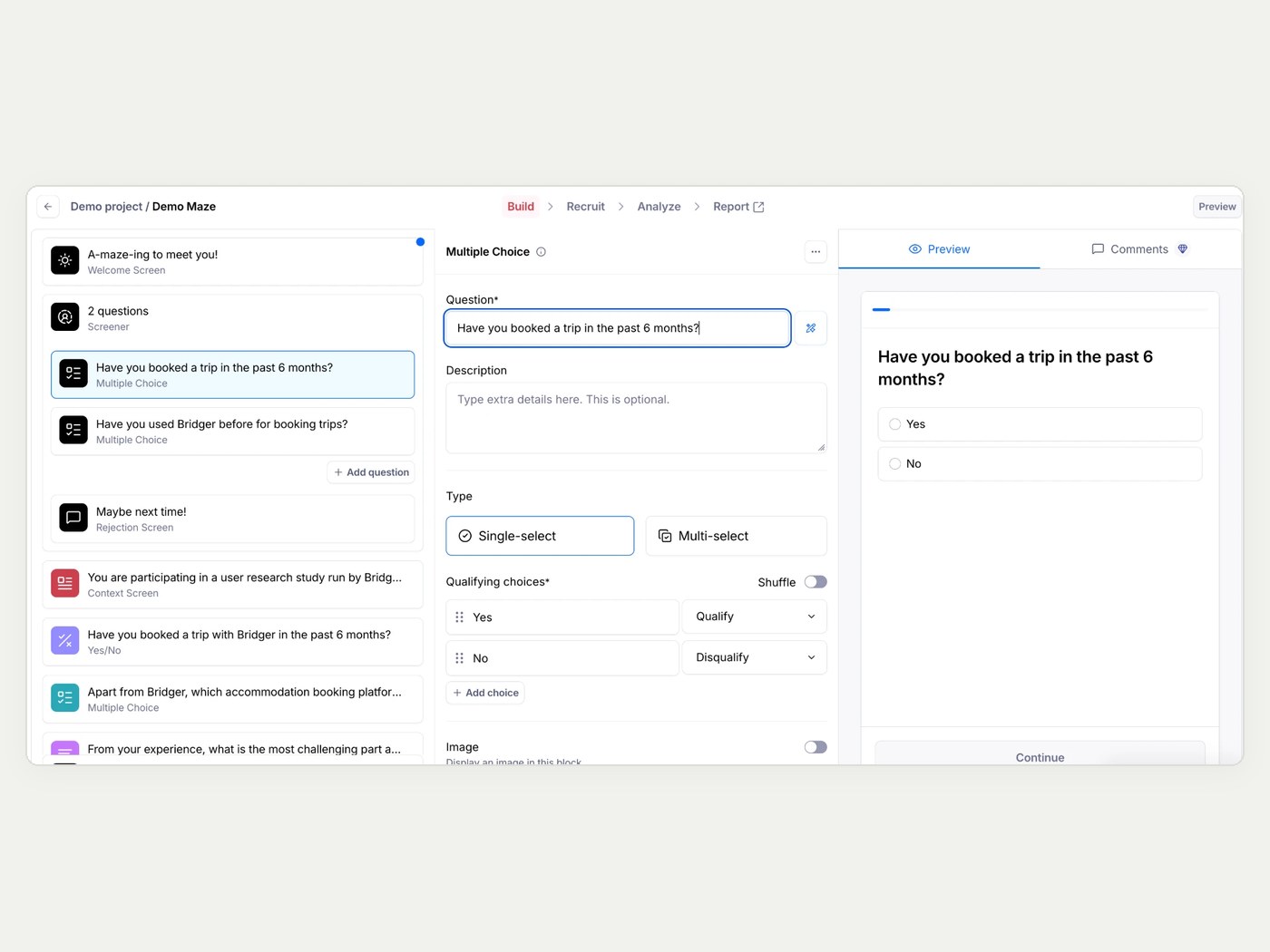
Real people record themselves using your product.
AI groups what people said into themes, from a test drafted out of one goal.
A subscription, recruiting, and hours of video to watch.
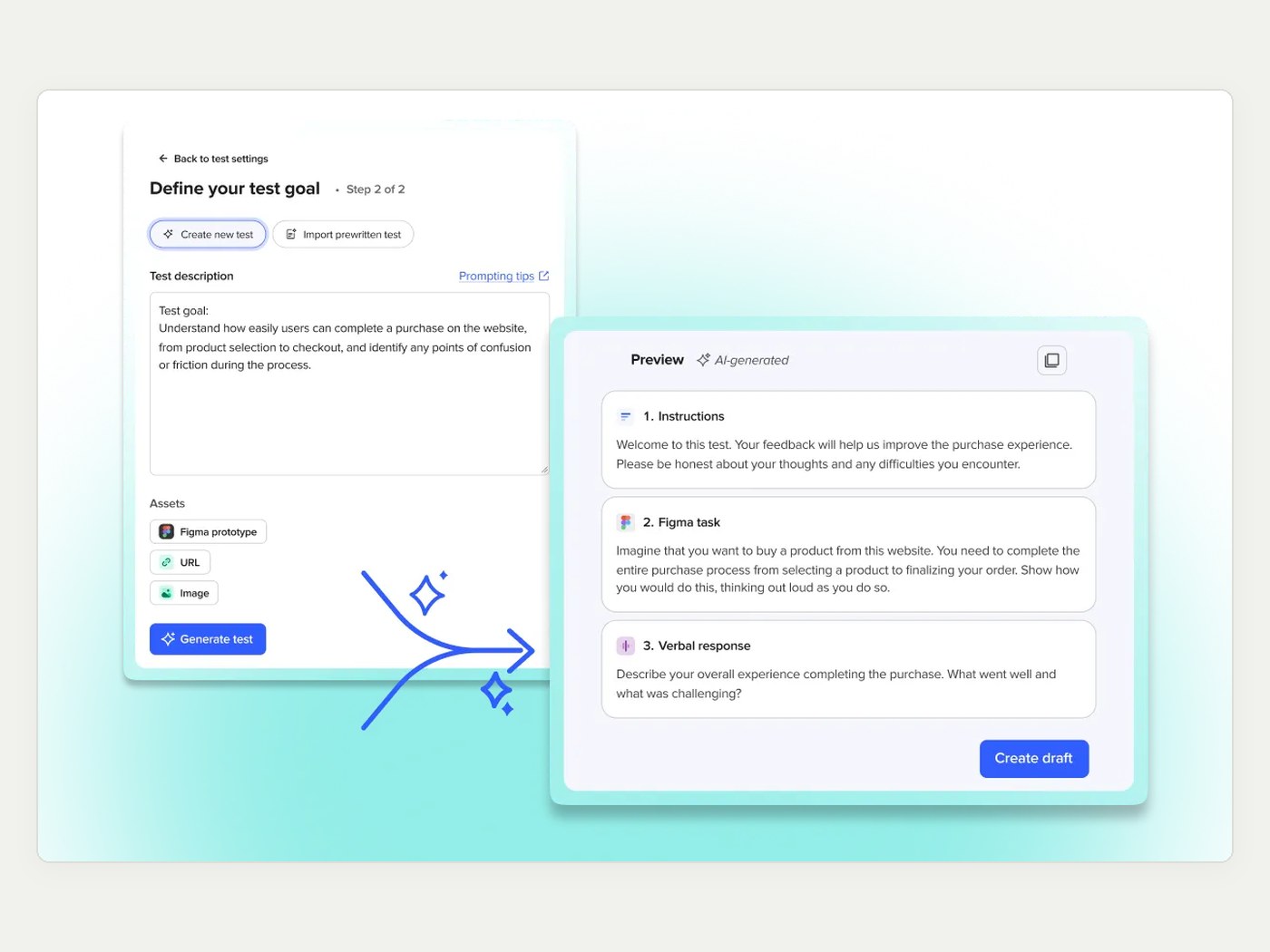
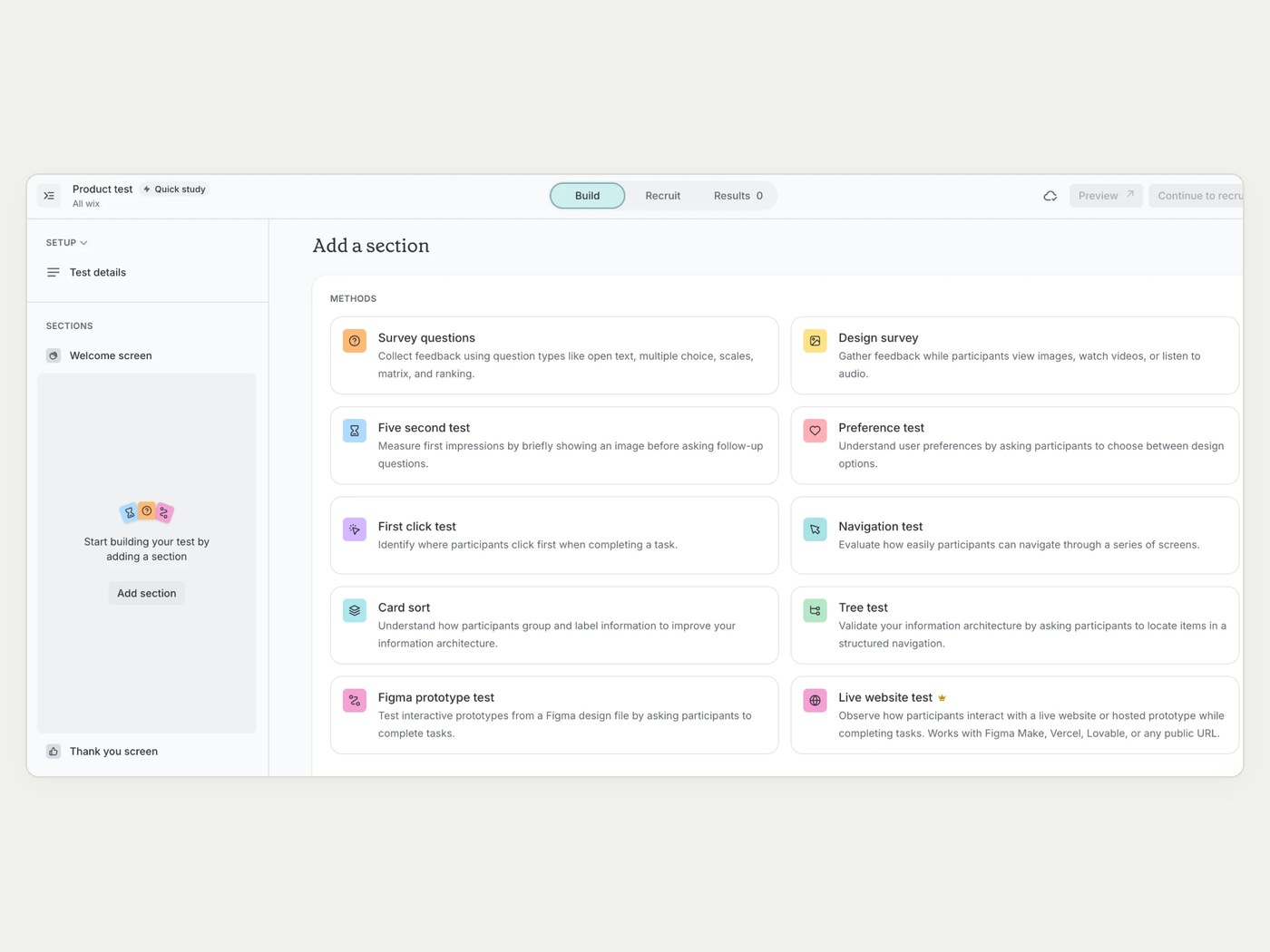
A testing platform with its own paid panel of participants.
Ten test methods and 69 templates make it quick to start.
Every round costs participants and budget, so teams test less often.
What success looks like
Success is a team that
knows what to fix,
before users find it.
Hypothesis
If teams can test any version against real user behavior in minutes, and get a clear list of what to fix, they will test many more iterations before release, and fewer issues will reach real users.
Signals to watch
Process
How I solved it
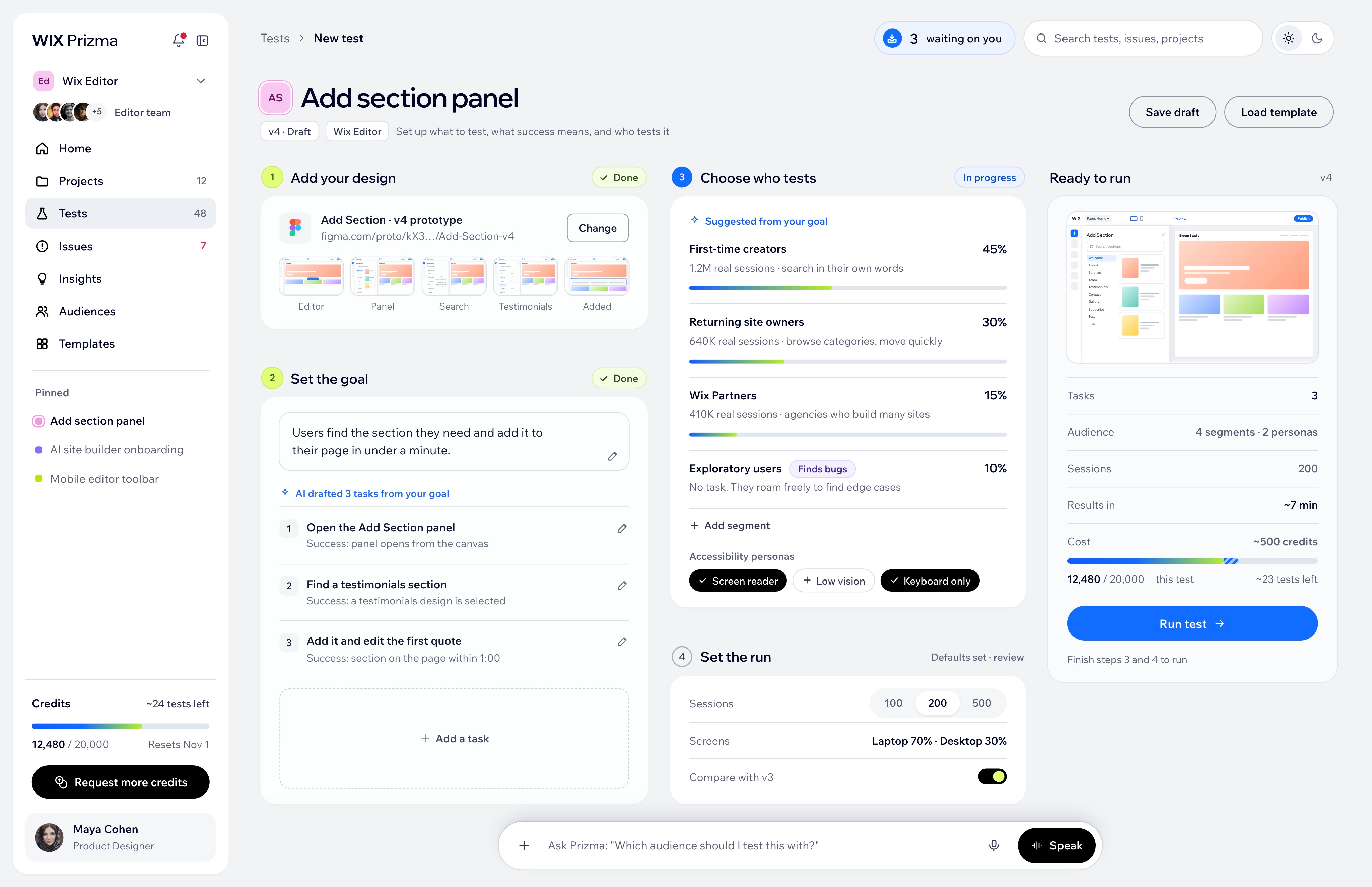
Everything a team needs to test a feature, from the first design to the release.
Connect
Figma, prototype links and staging. Analytics tools like Amplitude, Mixpanel and FullStory. Jira, Linear and Slack.
Simulate
Behavioral personas built on Wix data from FullStory, BI events and Sled, custom audiences from your own data, and accessibility personas: screen reader, low vision and keyboard only.
Decide
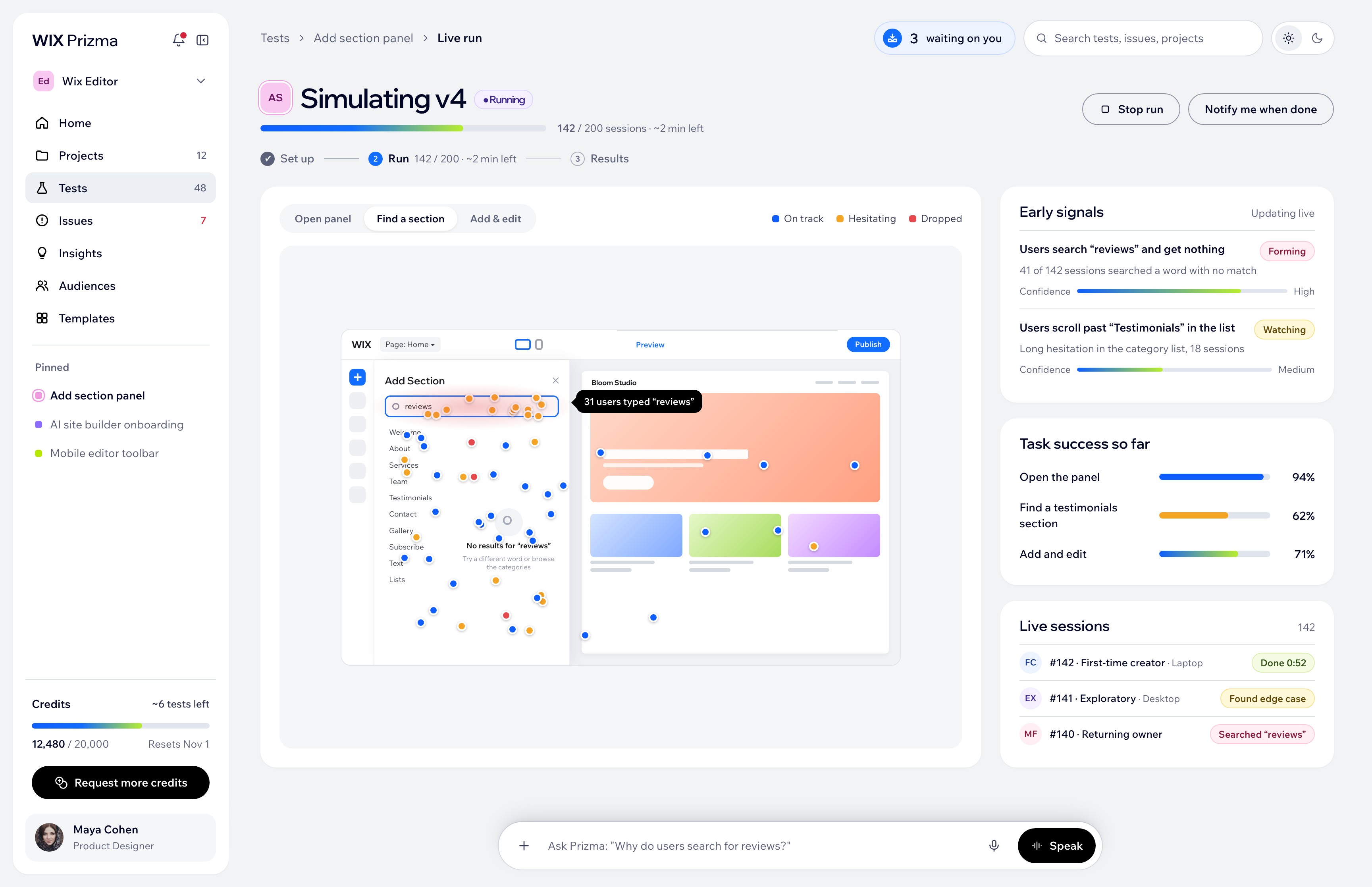
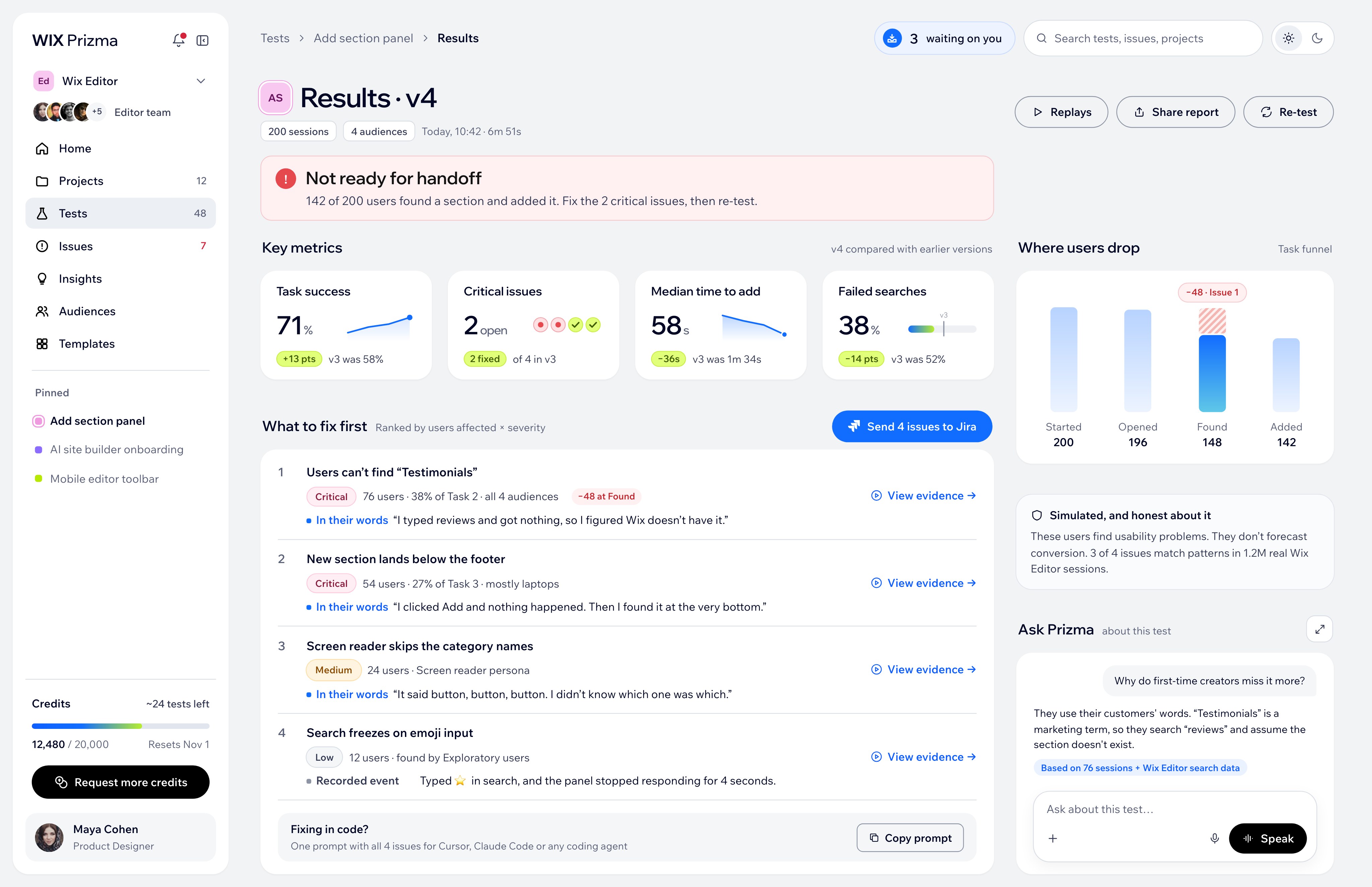
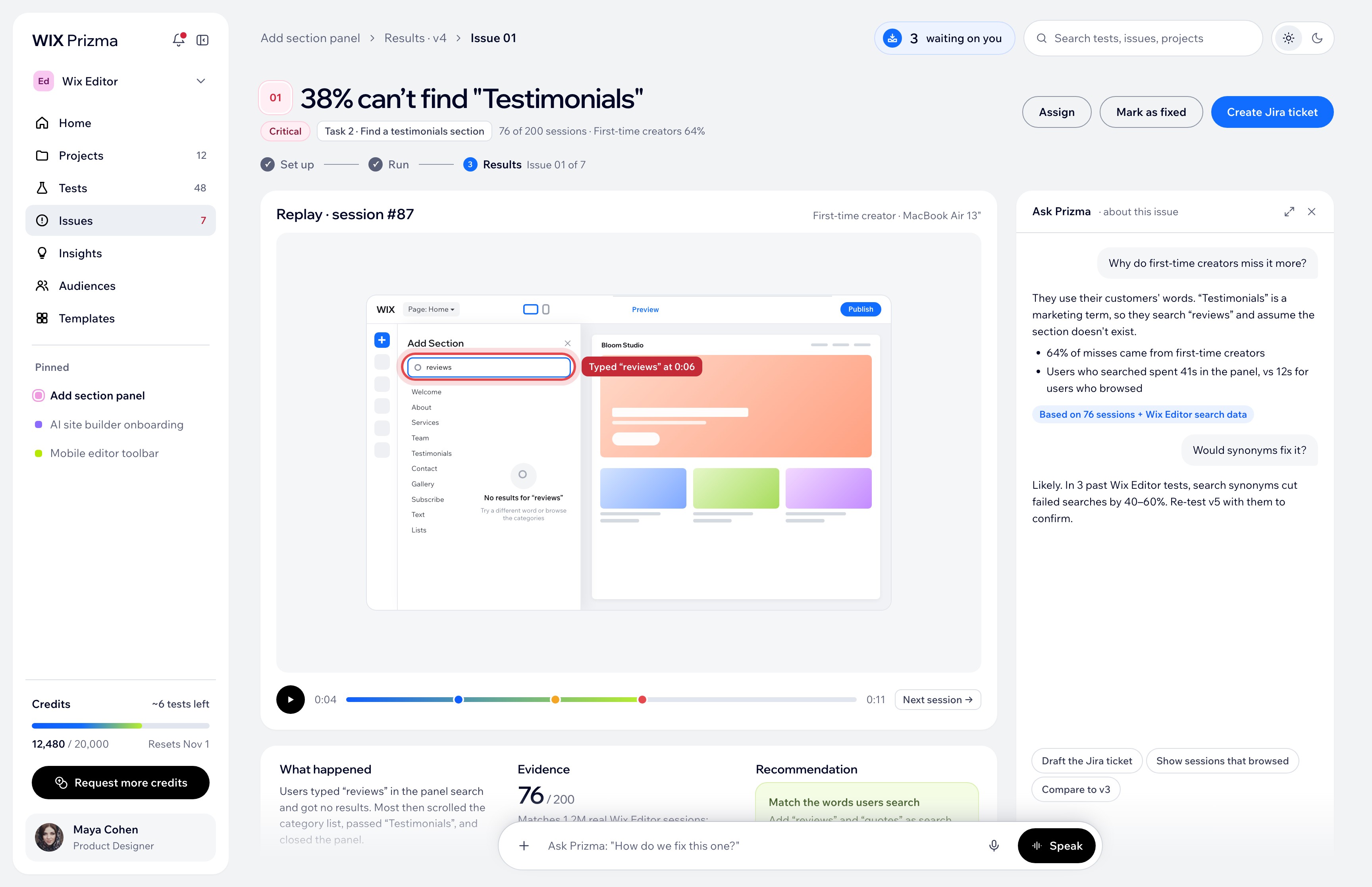
A verdict, what to fix first, and the evidence behind every finding, with funnels and session replays to back it up.
Improve
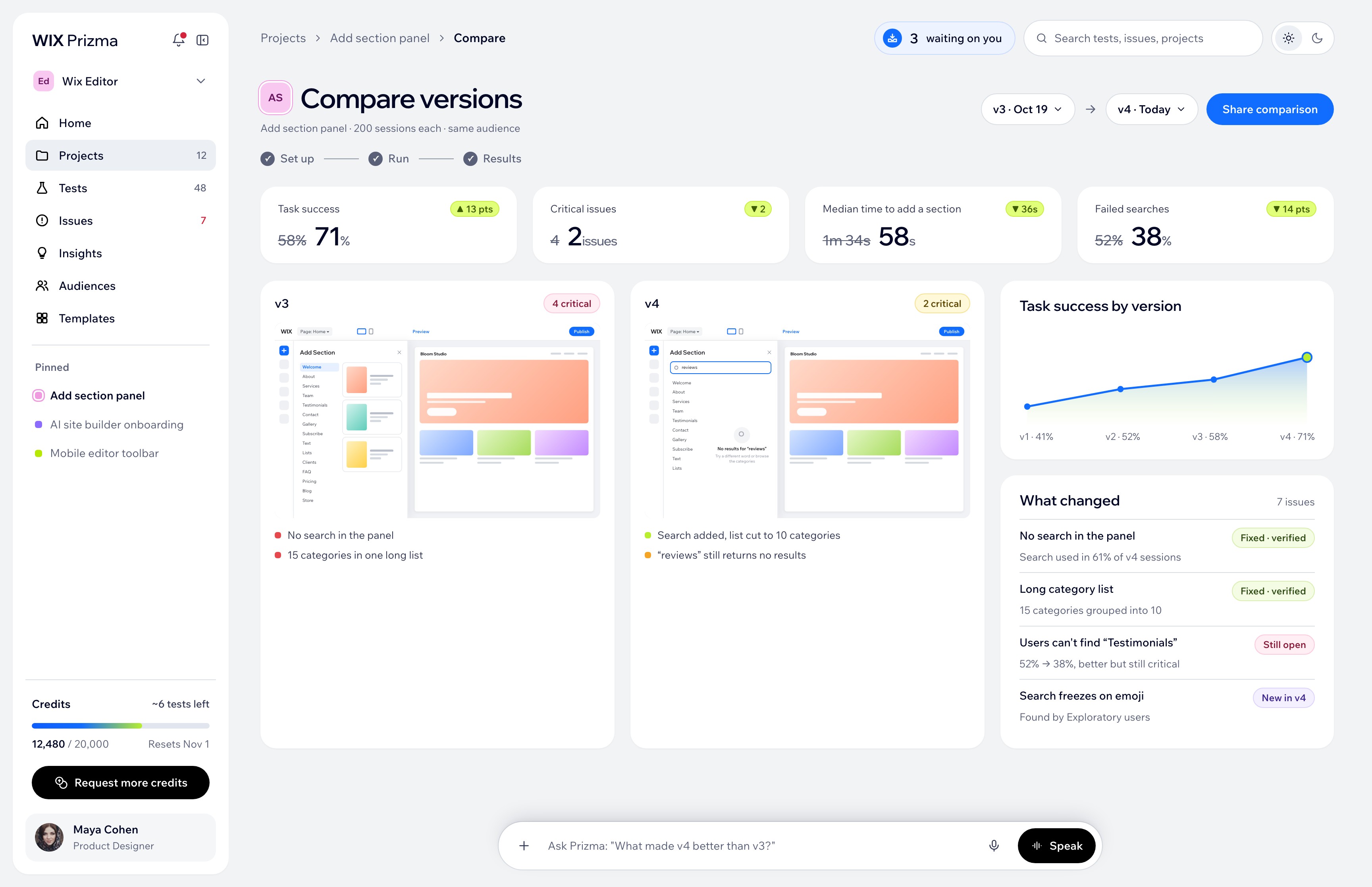
Every feature keeps its versions. Compare them, re-test automatically when the design changes, and see which fixes worked.
Key decision
More data on screen, or a clear next step?
I chose to lead with guidance: the verdict and what to fix come first, with key metrics and the drop-off to back them up. A team that knows what to fix first moves faster than one reading charts.
Final design
The home screen

User flow
Wix Prizma flow
From a new test to a verified fix: start a test, watch it run, act on the results, re-test, and compare versions.

Featured Screens
From a new test to a verified fix.
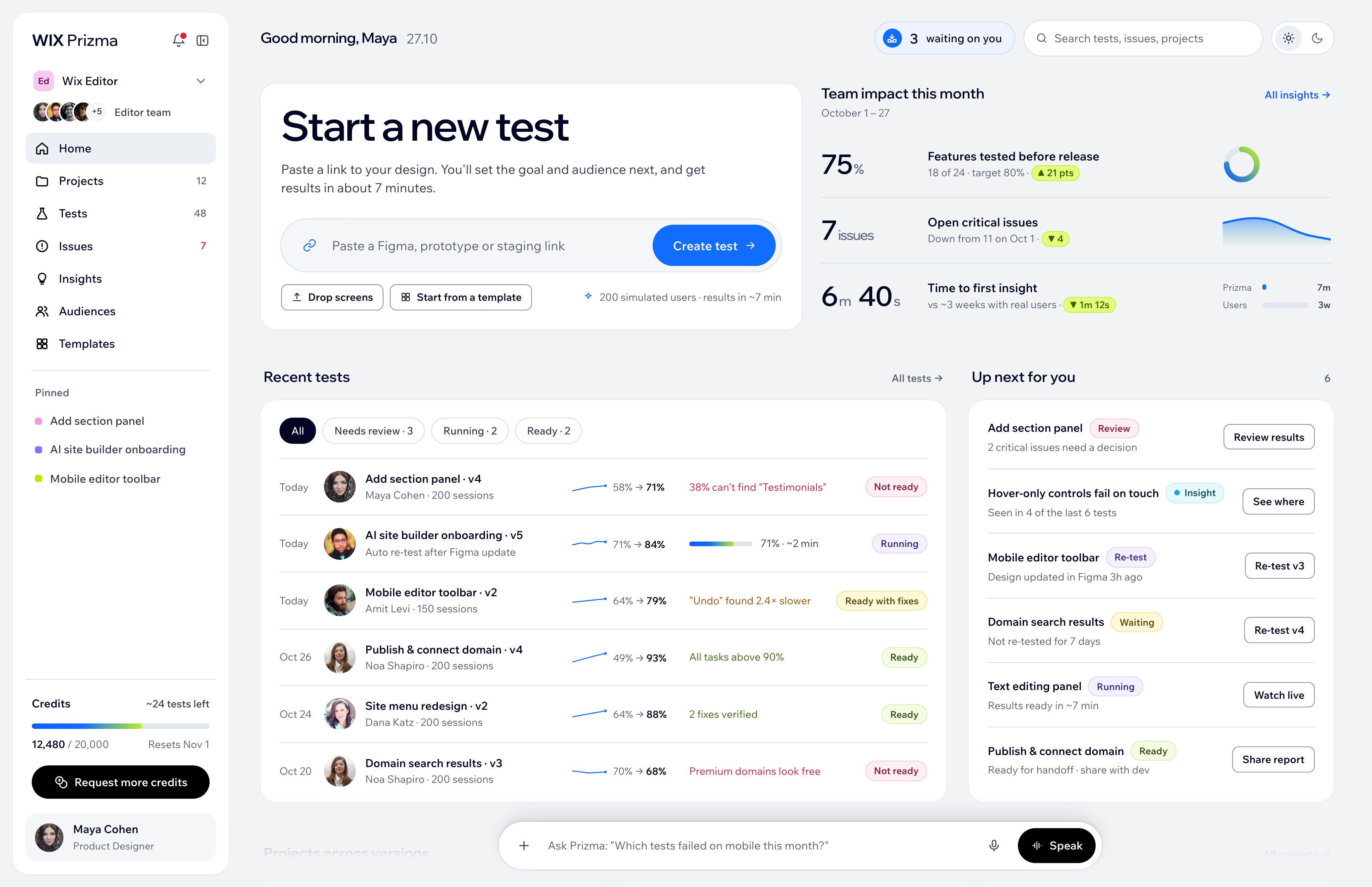
Home dashboard
HoverTap each point
New test
HoverTap each point
Test results
HoverTap each point
Reflection
What I learned
The value of an AI product depends on how clearly it supports human judgment. The hardest part wasn’t showing more data, but deciding what comes first: a verdict, what to fix, and the evidence behind it.